

Salik Balance Check in the UAE is now faster and smarter than ever. Whether you are a daily Dubai commuter, a tourist, or using a rental car, keeping your Salik account topped up helps you avoid fines and travel smoothly. With Dubai’s upgraded smart toll system (2025), you can now check your balance instantly using multiple official channels, online, via the app, SMS, UAE Pass, or even by plate number.
What is Salik and How Does It Work in Dubai?
Salik is Dubai’s RFID-based toll system managed by RTA. Every time your vehicle passes a Salik toll gate, AED 4 is automatically deducted from your prepaid Salik account. This account is connected to your vehicle plate number and Salik tag.


Why Managing Your Salik Balance Is Important in Dubai (2025 Update)
Dubai’s Salik system is fully automatic; AED 4 is deducted every time you pass through a Salik toll gate. When your balance reaches zero, additional trips can lead to violations and extra charges. With new rules and toll updates in 2025, keeping track of your real-time Salik balance is more important than ever to avoid fines and enjoy smooth, stress-free travel.
Why You Should Check Your Salik Balance Regularly
Checking your Salik balance helps you:
- Avoid fines when the balance goes negative
- Track toll usage for budgeting
- Prevent account suspension
- Manage multiple vehicles under one account
- Stay updated with new toll rules and gate timings
If you own multiple vehicles, it’s also useful to learn how to check your vehicle’s chassis number online in the UAE instantly to manage tolls, registration, and Salik accounts efficiently.
How to Check Salik Balance Online (Fastest Official Method)

Checking your balance using the official Salik site is the most trusted and RTA-approved Salik process
Steps:
- Visit the official Salik website.
- Click the Salik account login UAE.
- Enter your username and password.
- View your real-time Salik balance, trip history, and recharge details.
For more details about Salik account management, visit the official Salik FAQ page for step-by-step guidance and common questions. The technique provides full management of Salik account verification in, UAE, such as recharging history, trip history, and tolls.
For a broader guide on checking RTA balances and related toll services in Dubai, see our detailed RTA Balance Check in Dubai – Quick Methods blog.
How to Check Salik Balance Without Login (Using Plate Number in UAE)
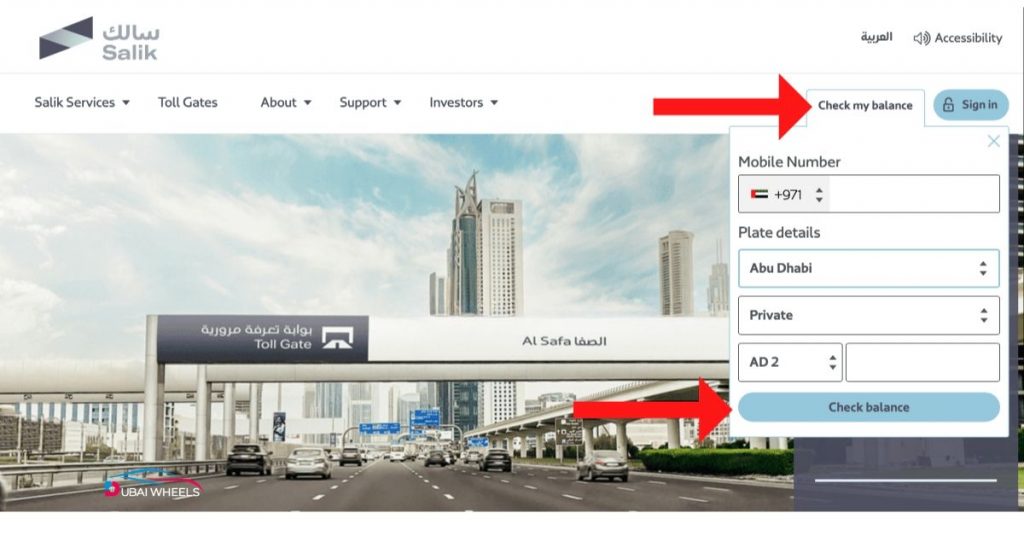
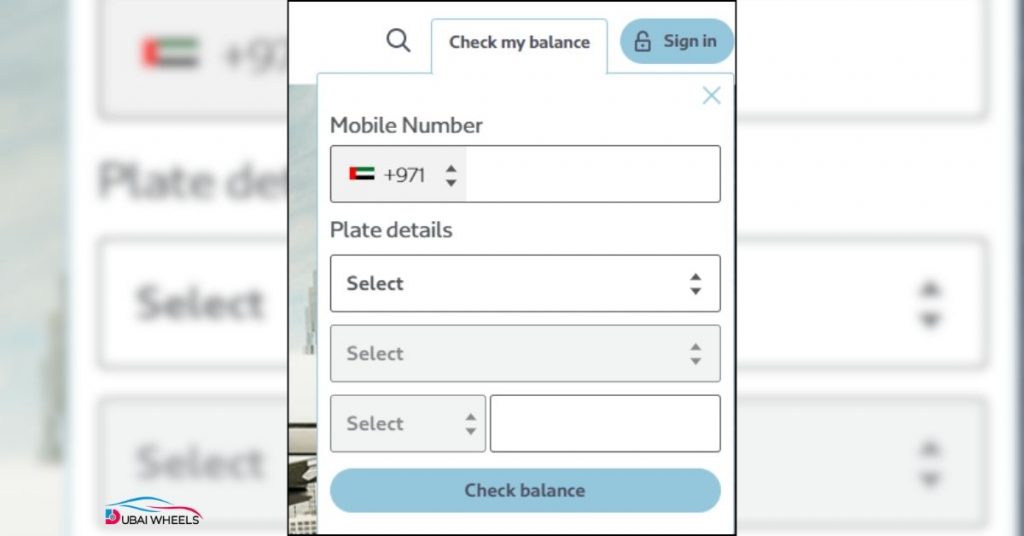
This is the best feature to use when one forgets his/her login details.
Steps:
- Visit the official Salik website.
- UAE Select Salik plate number balance check.
- Insert plate number + source emirate.
- View your balance instantly.
Very convenient for tourist-friendly Salik guide in Dubai, new residents, and its placement in rental cars.
Pros & Cons of Checking Salik Balance by Plate Number
Pros
- No login required
- Perfect for tourists/rental cars
- Fast and convenient
Cons
- Limited details
- No trip history
Check Salik Balance Using the Salik App (Real-Time Tracking)
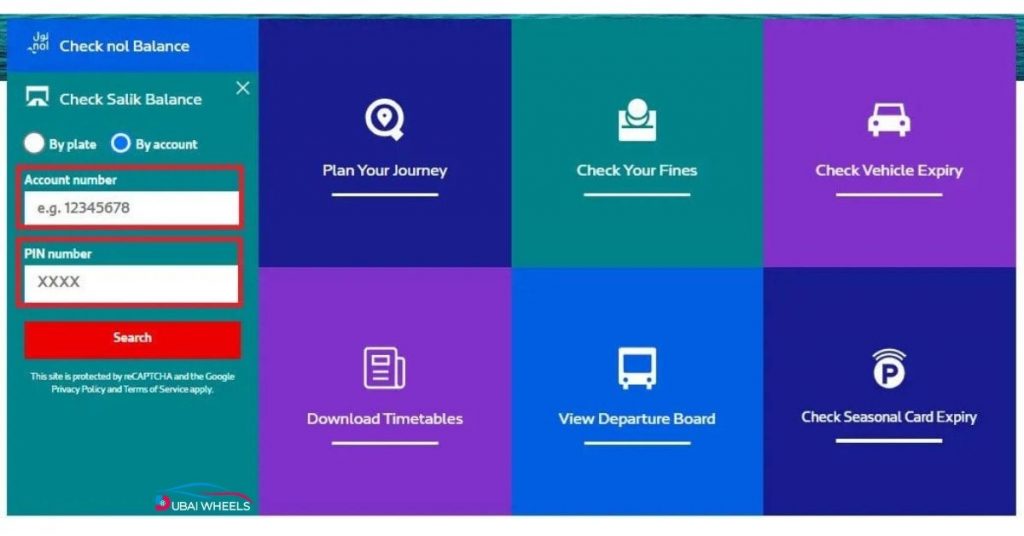
Salik application real-time tracking also assists in tracking deductions when you reach every gate.
Key Features of the Salik App:
- Real-time balance updates
- Toll crossing history
- Instant Salik recharge through UAE Pass
- Low-balance alert notifications
- Secure login with UAE Pass
The app also supports UAE Pass login and, therefore, makes the process not only secure but also easy. You can download the official RTA Smart Salik App to check your balance, view trip history, and recharge instantly.
Check Salik Balance Using RTA Dubai App
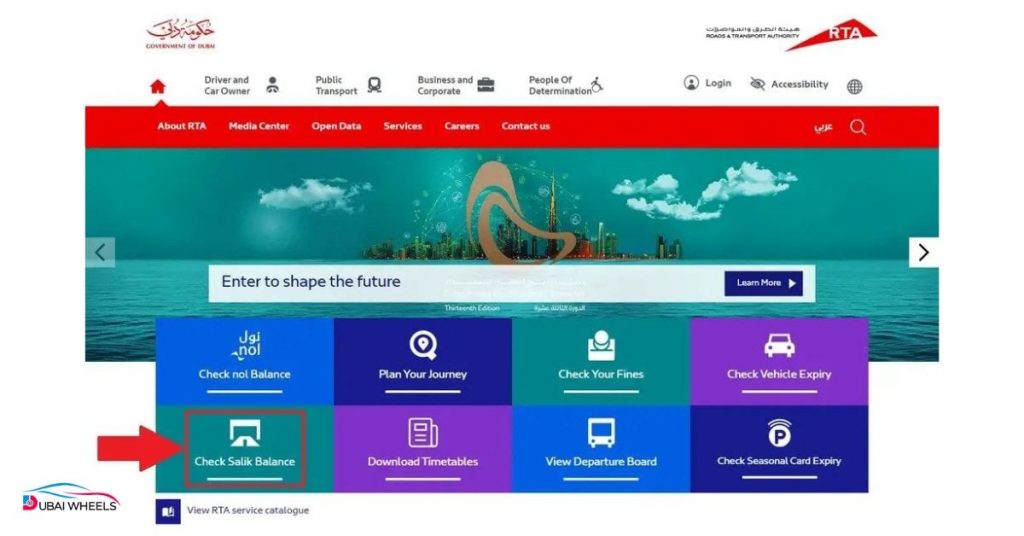
Short steps:
- Download app
- Login using your AE Pass or mobile number
- Go to “Salik Services”
- Enter plate number
- View balance + trip history
Check Salik Balance Using the Dubai Drive App
Short steps:
- Download Dubai Drive
- Login using UAE Pass
- Choose “Salik Balance”
- Enter plate details
- Check balance + recharge instantly
Comparison of Salik Balance Check Methods (2025)
| Method | Key Benefit |
| Salik Website | Full details + history |
| RTA App | Fast + supports recharge |
| Dubai Drive App | UAE Pass integration |
| SMS | Works without internet |
| Customer Care | Human assistance |
How to Check Salik Balance by SMS (For Non-Smartphone Users)
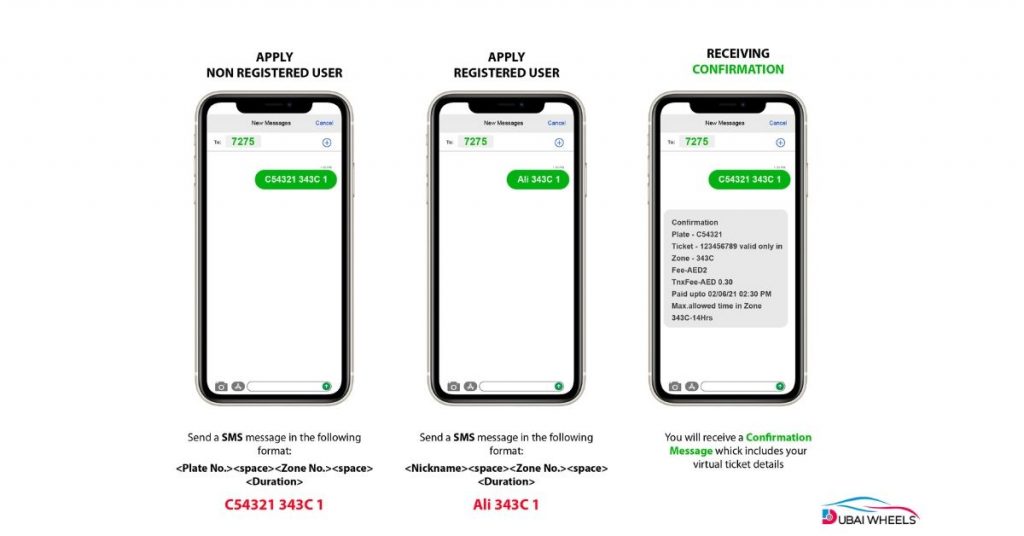
You want a fast mobile service, the Salik balance SMS inquiry UAE is the best.
Steps:
- Send your Salik account number via SMS to 5599.
You will get a response with your balance immediately. For an alternative method using your Salik account number via SMS, check this step-by-step guide by PolicyBazaar.
Salik Balance Check for Rental Cars in UAE (Tourists & Visitors Guide)
Dubai toll gate balance check charges are a major problem for tourists and other temporary visitors. Rental companies connect Salik tags to the systems.
Rental companies automatically link the Salik tag to their system. You can:
- Check toll charges through the rental company’s app or portal
- Receive a detailed toll report at the end of your rental period
- View live toll deductions on supported platforms
The rental car Salik charges UAE policy is always worth inquiring with the rental agency before making a reservation.
Salik for Tourists & Visitors (What You Must Know)
- No registration required if renting a car
- Charges auto-deducted by the rental company
- You can still check your balance via the Salik website
- Tourist can buy their own Salik tag for cross-Emirate travel
- Toll charges added to the rental invoice
Updated Salik Recharge Methods in 2025 (Verified Channels)
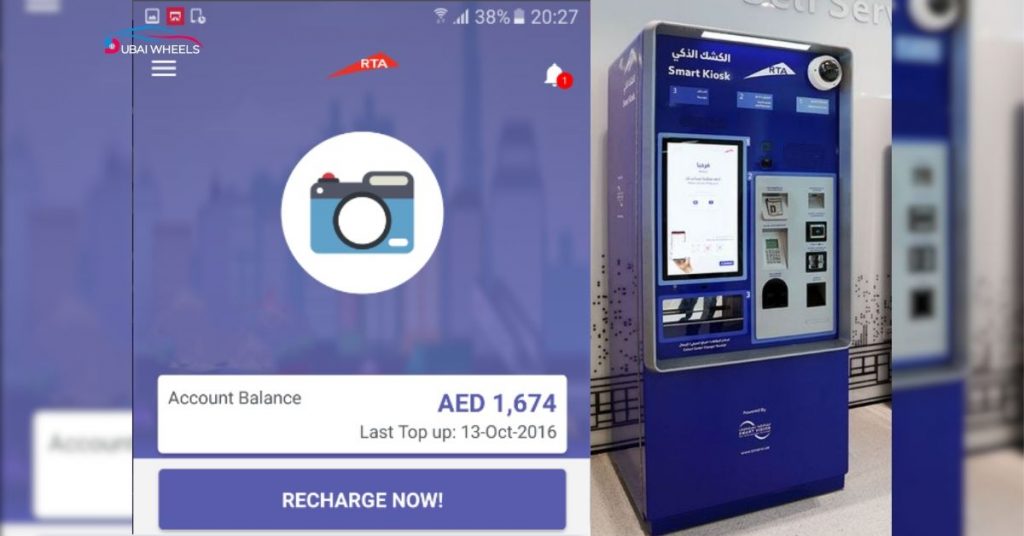
The leading cause of violation is running out of balance. The confirmed Salik recharge channels are as follows:
- Salik recharge online (official portal)
- Salik App recharge
- UAE Pass recharge
- Bank app recharge
- Recharge cards at stores
- Kiosk & payment machine recharge
Dubai is also uniting Salik with every mainstream digital toll system in the UAE, which makes it even more rapid. You can also read a detailed guide on how to check and recharge your Salik balance in Dubai to ensure you never run out of balance.
Salik Recharge Channels
| Method | Notes |
| Salik Website | Instant confirmation |
| Salik App | UAE Pass supported |
| Bank Apps | All UAE banks |
| Kiosks | Available in malls/stations |
| Recharge Cards | Physical cards |
| UAE Pass | One-tap login |
How to Recharge Salik
- Visit Salik Website or App
- Login through UAE Pass
- Click “Recharge”
- Choose a payment method
- Confirm payment
- New balance appears instantly
How to Activate a New Salik Tag in UAE (Step-by-Step)
You have to switch on your tag before you can get your balance or start using Salik.
Steps for Salik Activation:
- Purchase Salik tag
- Register using the Salik site/app.
- Enter tag number, plate number- contact details.
- Attach the sticker to the window according to instructions.
As soon as it is activated, your account is live.
Updated List of Salik Toll Gates in Dubai (2025)
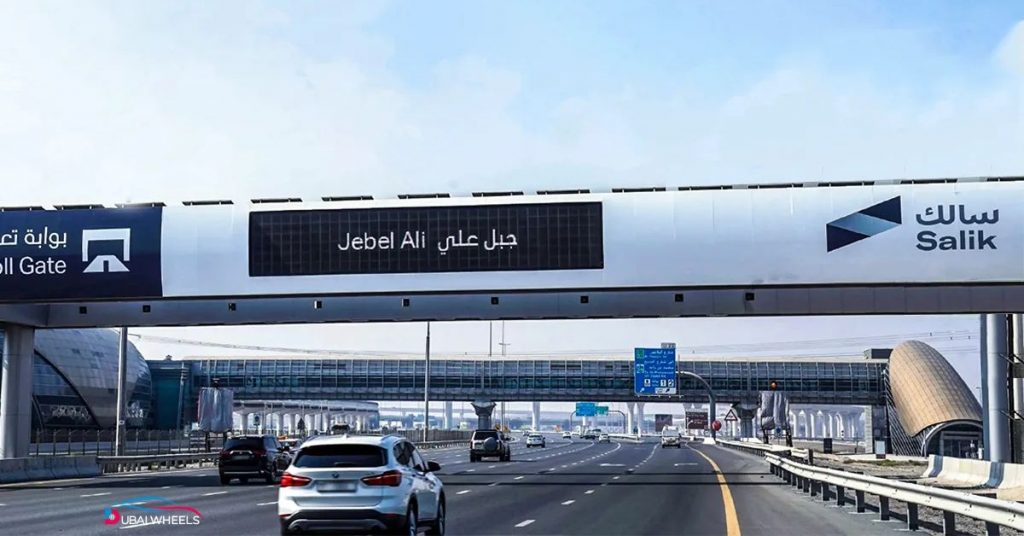
Important gates are of:
- Al Barsha
- Al Safa
- Airport Tunnel
- Al Mamzar North
- Al Mamzar South Salik gate hours timings (Free at certain hours)
- Jebel Ali
Gates’ regulations and schedules occasionally change, and therefore, always refer to the new UAE toll system guide for Salik activation.
Salik Toll Gates in Dubai (With Charges)
| Toll Gate | Fee |
| Al Barsha | AED 4 |
| Al Safa | AED 4 |
| Airport Tunnel | AED 4 |
| Al Mamzar North | AED 4 |
| Al Mamzar South | AED 4 (Free 9 PM–7 AM) |
| Jebel Ali | AED 4 |
Dubai Salik Free Timings (Including Al Mamzar South Gate)
Most gates are active 24/7 except:
Al Mamzar South Gate
- Free from 9 PM to 7 AM
- Active during peak hours
Salik-free hours may be considered as Dubai public holidays announced by RTA.
How to Avoid Low Balance & Salik Fines in Dubai
- Turn on app notifications
- Enable auto-recharge
- Check balance weekly
- Use UAE Pass for quick login
- Check toll expenses on long journeys.
Minor consideration will keep you out of huge penalties and offences.
Common Salik Issues & Quick Fixes
| Issue | Solution |
| Balance not updating | Wait 10–15 mins or call 800-SALIK |
| Incorrect plate number | Re-enter Emirate code correctly |
| Fines despite balance | Check for unregistered plates |
| SMS not working | Check format / sufficient credit |
Salik Customer Service UAE (Official Contacts)
| Service | Contact |
| Salik Call Center | 800-SALIK (72545) |
| Website | salik.ae |
| SMS | 5599 |
| RTA Support | 800-9090 |
Conclusion
Dubai’s smart toll system continues to evolve, making it easier than ever to manage your Salik balance check, recharge your account, and track your toll usage. Whether you are a resident, tourist, or rental car user, using official channels like the Salik website, app, SMS, and UAE Pass ensures smooth and fee-free travel across Dubai. Keep your balance updated, and enjoy stress-free driving in the UAE.
FAQs
Checking my Salik balance in the UAE?
Salik balance could be checked through the Salik app, official website, SMS service, or by calling Salik customer care.
How could one charge Salik online the quickest in 2025?
The most expedited one is the updated verified Salik recharge channels method 2025 with the Salik app or UAE Pass via instant payment confirmation.
What is the way to check the Salik balance without logging in?
Get your balance immediately using the Salik balance check by plate number (or) the SMS inquiry service.
Will the Salik in Dubai be available to tourists to check and recharge?
Yes, tourists will be able to check and recharge Salik through the app, the site, kiosks, or by buying top-up cards.
What is the way to the Salik tag activation process UAE?
You just need to log in to your Salik account and enter the tag number and the details of the vehicle, and activate the same in a couple of minutes.
What are the present Salik toll gate charges in Dubai?
There are 4 AED gates (Salik gates) that cost AED 4 a crossing, and Al Mamzar South is free at off-peak hours.
What is the plate number checking method of the Salik balance?
Go to the Salik site or application and select Check Balance and enter your plate number and code to see your balance immediately.